1. INTRODUCTION AND PREAMBLE
1.1. Parties: These General Terms and Conditions (the "GTC" or "Agreement") constitute a legally binding contract between Take Capital For Traders, a company incorporated and registered at Hunkins Waterfront Plaza, Suite 556, Main Street, Charlestown, Nevis (hereinafter referred to as "Takecap FT", "Company", "we", "us", or "our"), and you, the individual or entity accessing our platform (hereinafter referred to as the "Client", "Trader", "you", or "your").
1.2. Acceptance of Terms: By registering an account, purchasing an evaluation, or accessing the Website (https://takecapft.com/), you expressly acknowledge that you have read, understood, and irrevocably agree to be bound by these GTC, as well as our Privacy Policy and official Help Center guidelines. If you do not agree to these terms, you must immediately cease use of our Services.
1.3. Modification of Terms: Takecap FT reserves the right to modify, amend, or update these GTC at its sole discretion at any time. Changes will be communicated via the Website or the Client dashboard. Your continued use of the Services following the posting of any changes constitutes your binding acceptance of such modifications.
2. DEFINITIONS
"Evaluation Process" means the initial simulated testing phases designed to evaluate the Client's trading skills and risk management. The Company offers two tracks: Single Payment Plans (1-Phase, 2-Phase, or Instant) and Subscription Plans (further designated by rule type as Consistency Plans or Risk Management Plans).
"Phase 3 (Advanced Simulated) Stage" means the final stage of the program where the Client manages an advanced simulated account and becomes eligible to receive performance-based rewards based on virtual performance.
"Simulated Trading" means the execution of virtual buy and sell orders within a simulated environment that mimics real market conditions via third-party trading platforms.
"Virtual Capital" means the fictitious, non-withdrawable simulated funds allocated to the Client’s account for evaluation purposes.
"Restricted Jurisdictions" means the countries and territories from which we do not accept Clients due to legal, regulatory, or operational constraints.
"Help Center" means the official repository of trading rules and FAQs located on our Website, which is fully incorporated by reference into these GTC. https://intercom.help/take-capital-for-traders/en/
"Risk per Trade Idea" means the combined simulated exposure in the same instrument or in correlated instruments, including identical or substantially similar positions opened across more than one Simulated Account of the same Client, affiliated persons, or the same strategy.
3. NATURE OF SERVICES & REGULATORY DISCLAIMER
3.1. Educational and Simulated Platform: Takecap FT provides an educational platform featuring simulated trading environments, analytical tools, and evaluation programs (collectively, the "Services").
3.2. Not a Broker or Financial Institution: WE EXPLICITLY DECLARE THAT WE ARE NOT A BROKER, FINANCIAL INTERMEDIARY, OR INVESTMENT SERVICE PROVIDER. We do not hold client funds for investment purposes, we do not accept deposits for live trading, and we do not execute real trades in live financial markets on behalf of Clients.
3.3. Virtual Funds Only: All trading during Phase 1, Phase 2, and Phase 3 takes place in a fully simulated environment. You are trading with virtual funds. No actual money is at risk, and you are not liable for any simulated losses incurred.
3.4. No Investment Advice: Nothing provided through the Services constitutes financial, investment, legal, or tax advice. Past performance in our simulated environment does not guarantee future results in live trading.
4. ELIGIBILITY, REGISTRATION, AND SANCTIONS
4.1. Age Requirement: You must be at least 18 years of age and possess the legal capacity to enter into this Agreement to use our Services.
4.2. Geographic Restrictions: We do not provide Services to residents of the following jurisdictions: Afghanistan, Antarctica, Antigua and Barbuda, Australia, Belarus, Belize, Bhutan, Bouvet Island, Burundi, Cape Verde, Chad, Comoros, Congo, Crimea, Cuba, Djibouti, Dominica, Donetsk, East Timor, Equatorial Guinea, Eritrea, Eswatini, Fiji, Gabon, Gambia, Grenada, Guinea, Guinea-Bissau, Holy See (Vatican), India, Indonesia, Iran, Iraq, Kherson, Kiribati, Kosovo, Kyrgyzstan, Lesotho, Liberia, Luhansk, Malawi, Mali, Marshall Islands, Mauritania, Micronesia, Myanmar, Nauru, Niger, Niue, Papua New Guinea, Russia (Russian Federation), Saint Barthélemy, Saint Lucia, Saint Vincent and the Grenadines, Samoa, San Marino, Sao Tome and Principe, Sevastopol, Seychelles, Sierra Leone, Solomon Islands, Somalia, South Sudan, Sudan, Suriname, Syria, Tajikistan, Tokelau, Tonga, Turkmenistan, Tuvalu, United States of America, Uzbekistan, Vanuatu, Venezuela, Zaporizhzhia.
4.3. Sanctions & Anti-Money Laundering (AML) Warranty: You represent and warrant that you are not subject to any international sanctions administered or enforced by the US Department of the Treasury’s Office of Foreign Assets Control (OFAC), the United Nations Security Council, or the European Union. You warrant that you have no criminal record related to financial crime or terrorism.
4.4. KYC Verification: Prior to entering Phase 3 or requesting any performance-based reward, you must successfully complete our Know Your Customer (KYC) identity verification process.
5. FEES, PAYMENTS, AND NO-REFUND POLICY
5.1. Evaluation Fees: Participation in the Evaluation Process requires the payment of a one-time upfront fee.
5.2. FINAL SALES POLICY (NO REFUNDS): All purchases made on our platform are final. Because the Client is granted immediate access to proprietary trading platforms, market data feeds, and simulated capital upon payment, no refunds will be issued under any circumstances. This includes, but is not limited to, failure of the evaluation, inactivity, or account termination due to a rule violation.
5.3. Chargebacks & Disputes: Any attempt to file an unjustified chargeback or dispute with your bank, credit card issuer, or payment gateway constitutes a severe breach of this Agreement. In the event of a chargeback, Takecap FT will:
Immediately terminate all active accounts belonging to the Client.
Permanently ban the Client from using any future Services.
Pursue legal and collection actions to recover the disputed amount and any administrative fees.
5.4. Evaluation Fee Refund (Credit): Upon reaching Phase 3 and successfully qualifying for your first valid reward request, your initial evaluation fee for Single Payment Plans (1-Phase and 2-Phase only) will be returned to you. You may elect to receive this either as a discount on a future evaluation or converted into a reward credit added to your requested reward. If a Phase 3 account breaches any rule prior to the first successful reward request, this credit is voided. Exemption for Instant Plans and Subscription Plans: Instant access fees, monthly subscription fees, activation fees, and early reset fees are strictly non-refundable and are not eligible for this refund credit.
5.5. Subscription Plans Subscription & Reset Policy: Participation in the Subscription Plans operates on an automatic monthly billing cycle and involves the following fee structure (exact amounts for each account tier are published on our Website and are subject to change):
Monthly Subscription Fee: A recurring monthly charge to maintain access to the active subscription evaluation account.
Activation Fee: A one-time fee required upon successfully passing the evaluation in order to activate the account and transition to the Phase 3 (Advanced Simulated) Stage. Once this activation fee is paid and the account enters Phase 3, the recurring monthly subscription fee is permanently canceled for this specific account.
Early Reset Fee: Clients may manually reset their subscription account at any time before their scheduled billing renewal date by paying a designated early reset fee.
Free Resets: Accounts are granted one (1) automatic free reset on the date of their scheduled monthly subscription renewal.
6. EVALUATION PROCESS & ACCOUNT PARAMETERS
6.1. Account Tiers: Takecap FT offers evaluation accounts with Virtual Capital starting balances of $5,000, $10,000, $25,000, $50,000, $100,000, and $200,000, as available for the selected plan on the Website. The Subscription Plans are exclusively available in $50,000, $100,000, and $200,000 tiers. Instant Single Payment Plans are exclusively available in the Instant tiers published on the Website, currently $2,000, $5,000, $10,000, and $25,000. Instant is not offered at $50,000, $100,000, or $200,000.
6.2. Unlimited Trading Period: There are no maximum time limits to complete Phase 1 or Phase 2. You may trade at your own pace.
6.3. Simulated Result Targets:
Single Payment 2-Phase: 10% (Phase 1) and 5% (Phase 2) of the initial Virtual Capital.
Single Payment 1-Phase: 10% of the initial Virtual Capital.
Single Payment Instant: No mandatory simulated result targets.
Subscription Plans Evaluation: 10% of the initial Virtual Capital.
Phase 3 (Advanced Simulated): No mandatory simulated result targets.
6.4. Leverage Limits:
Leverage cannot be increased and is strictly capped as follows: Cryptos 1:1; Energies 1:9; EU/US Shares 1:1; Forex Majors 1:30; Forex Crosses 1:20; Forex Exotics 1:1; Indices 1:9; Metals 1:9.
6.5. Available Instruments: The instruments available for Simulated Trading are only those enabled on the trading platform and published in the Help Center. Takecap FT may add, suspend, or remove an instrument at any time. No new order may be opened on an instrument that has been removed or suspended.
6.6. Trading Commissions: Commission is applied to the simulated account. The Client cannot reduce these rates. Forex Majors, Forex Crosses, and Forex Exotics: 5 USD per lot round turn. Indices, UKOIL, and USOIL: no commission. NGAS and Metals: 0.0014 percent of volume on each fill. Cryptos: 0.065 percent of volume on each fill. EU Shares and US Shares: 0.004 percent of volume on each fill.
7. RISK MANAGEMENT RULES & BREACH CONDITIONS
The Client must strictly adhere to the following risk parameters. A breach of any of these rules results in immediate account failure and termination.
7.1. Maximum Daily Loss Limit:
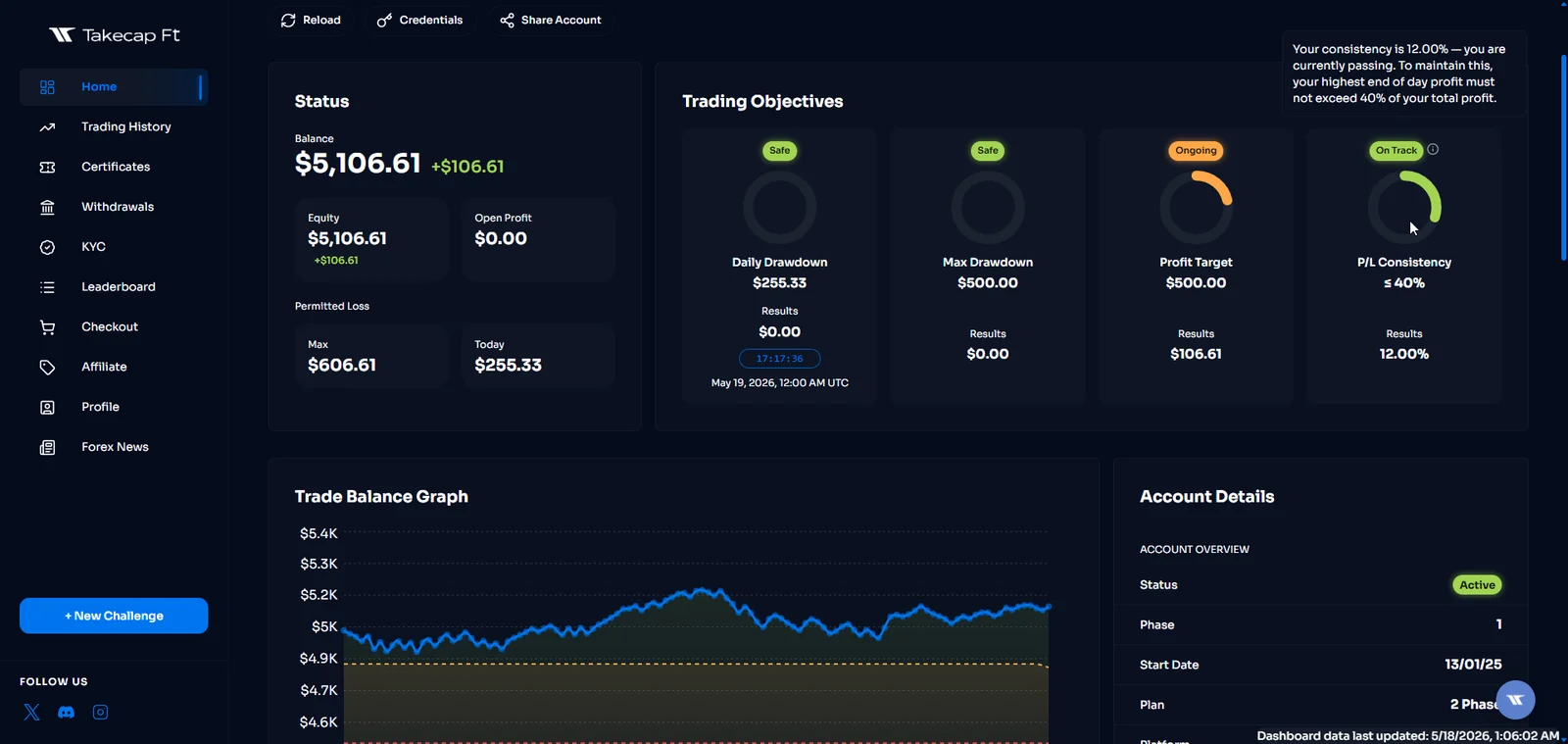
This value is calculated based on the "Balance" registered at 00:00 UTC. If the sum of closed and open simulated results reaches this limit during the UTC day, the account is breached.
2-Phase & Subscription Plans: The account Equity or Balance may not decrease by more than 5% of the starting daily balance.
1-Phase Plans: The account Equity or Balance may not decrease by more than 3% of the starting daily balance.
Instant Plans: There is no maximum daily loss limit.
7.2. Maximum Loss Limit:
2-Phase Single Payment Plans: The account's Balance or Equity cannot decrease by more than 10% from its initial starting Virtual Capital (Static).
1-Phase Single Payment Plans: The account's Balance or Equity cannot decrease by more than 6% from its initial starting Virtual Capital (Static).
Instant Single Payment Plans: The account's Balance or Equity cannot decrease by more than 6% (Trailing).
Subscription Plans: The account's Balance or Equity cannot decrease by more than 5% from its initial starting Virtual Capital (Static). If an account’s equity falls below these respective limits at any time, it is a breach.
7.3. Plan-Specific Rules:
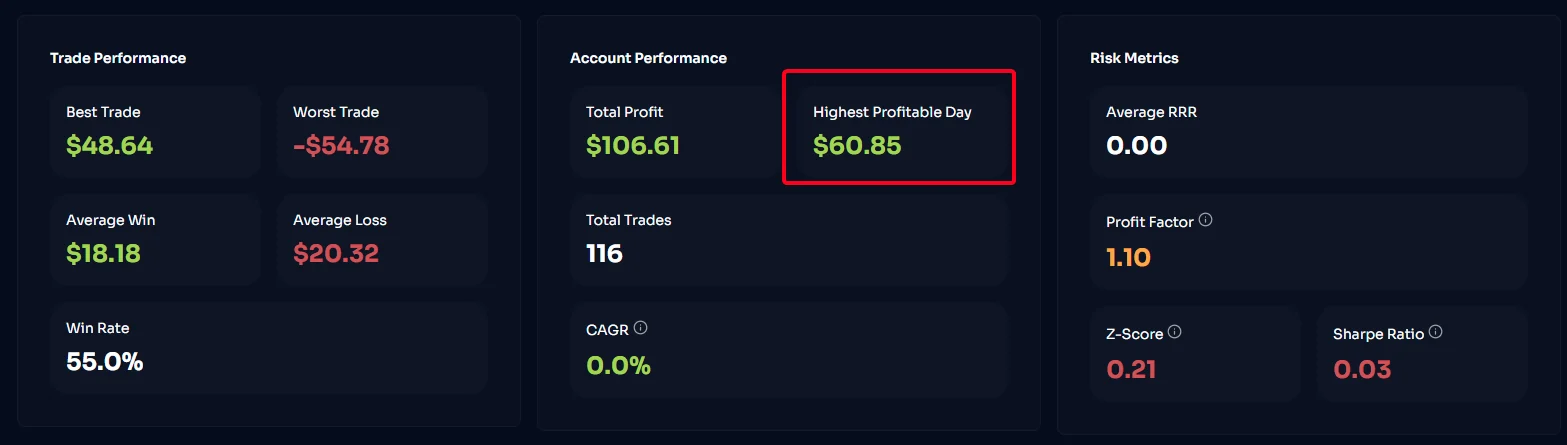
Consistency Plans: To prevent gambling and ensure skill-based trading, no single trading day (00:00–23:59 UTC) can account for more than 40% (or 20% for Instant Plans) of your total generated simulated results required to pass a phase or request a reward.
Formula: Best Trading Day Simulated Result ÷ Total Simulated Net Result ≤ 40% (or 20% for Instant Plans).
Adjustment: If your Best Day exceeds the 40% or 20% threshold, you are not disqualified. However, your account will not advance and you cannot request rewards, until you continue trading to increase your Total Simulated Net Result until the threshold is satisfied.
Risk Management Plans:
Mandatory Stop Loss: A Stop Loss is mandatory on all operations. No trade may be executed or closed without an active Stop Loss.
Maximum Risk Per Trade: The maximum permitted loss per operation is 2% of the initial account balance, measured at the time the trade is closed.
Strike System: Violations of the Mandatory Stop Loss or the 2% Maximum Risk Per Trade rules are subject to a 3-strike system. Upon a strike, the non-compliant order's simulated profit and all open orders can be closed and deducted. The 1st and 2nd strikes result in formal warnings. A 3rd strike results in immediate account termination with no refunds.
Minimum Positive Days: To be eligible to pass the evaluation or request a reward, the Trader must achieve a minimum of 3 positive trading days. A trading day is counted as positive only if the sum of all orders closed on that day (00:00–23:59 UTC) amounts to a simulated net profit of at least 1% of the initial account balance.
7.4. Account Inactivity Policy:
Exemption: Evaluation accounts enrolled in the Subscription Plans are strictly exempt from the 20-day inactivity rules outlined below, provided their monthly subscription remains active and fully paid. Note: Once a Subscription account transitions to the Phase 3 (Advanced Simulated) Stage and the monthly subscription is canceled, this exemption no longer applies, and the advanced simulated account becomes fully subject to the standard 20-day inactivity rules.
7.4.1. Reactivation Conditions for Archived Accounts: Accounts without trading history (i.e., no trades performed) are archived after 20 consecutive days of inactivity. These accounts can be reactivated upon request within 6 months of being archived. To reactivate an archived account:
Send an email request to the support team.
Confirm your interest in reactivating the account. If the 6-month period has elapsed, the account is no longer eligible for reactivation.
7.4.2. Permanent Deactivation Rules for Accounts with Trading History: Accounts with trading history (i.e., accounts that have performed trades) are permanently deactivated if they remain inactive for more than 20 consecutive days. Once permanently deactivated, these accounts cannot be reactivated or recreated under any circumstances. Users wishing to continue trading must start with a new account.
7.4.3. Special Considerations for Test Accounts: Test accounts follow similar inactivity policies but with stricter reactivation rules. If a test account remains inactive for more than 20 consecutive days without prior communication, it is permanently deactivated and cannot be reactivated. Users must create a new test account to continue.
7.4.4. Active Criteria: To be considered active, an account must have at least 1 completed trade (opened and closed), a minimum average trade duration of 3 minutes, and a minimum average risk of 0.20% of the account balance within the last 20 days.
7.4.5. Preventive Measures to Avoid Deactivation: To prevent your account from being permanently deactivated due to inactivity, consider the following steps:
Notify the support team in advance if you anticipate being inactive for an extended period (e.g., due to travel or vacation).
Request that your account be placed in archived mode. This ensures that the account can be reactivated within 6 months, even if it exceeds the 20-day inactivity threshold.
Send an email explaining the reason for your absence and the expected duration before reaching 20 consecutive days of inactivity.
8. PROHIBITED TRADING PRACTICES & ENFORCEMENT
8.1. Exploitative Practices: The Client must not engage in strategies intended to exploit the simulated environment or to circumvent the limitations of a product, plan, or account size. Prohibited practices include, but are not limited to: Gap trading, High-frequency trading (HFT), Server spamming, Latency arbitrage, Toxic trade flow, Hedging, Long/Short arbitrage, Reverse arbitrage, Tick scalping, Grid trading, trading between opposing accounts, and any strategy designed to combine or replicate accounts in order to obtain a product size, drawdown envelope, or allocation that is not offered for the plan purchased.
8.2. Third-Party Signals & Copy Trading: Trading must reflect the individual skill of the Client. The use of third-party copy trading services, signal groups, or account management is strictly prohibited.
Pattern Correlation System: Takecap FT utilizes automated systems to cross-reference trading data. If an account is flagged for a "High Dependence Ratio" (where the majority of simulated results rely on external signals matching known third-party sets), the account will be disqualified.
Own-account replication and circumvention: Copying orders between Simulated Accounts registered in the Client's own name does not, by itself, constitute third-party copy trading. However, replicating orders simultaneously across multiple accounts (including via a trade copier, VPS, or similar tool) in order to circumvent the maximum Virtual Capital, the maximum account size offered for a given plan or modality, or any other risk parameter, is a prohibited circumvention of these GTC. Example: operating two Instant accounts of $25,000 as if they were a single Instant allocation of $50,000. Simulated results generated through such circumvention may be disqualified, and the affected account(s) may be terminated.
8.3. News Trading & Weekend Holding: Trading during high-impact news and holding positions over weekends/holidays is permitted. However, the simulated environment replicates live market liquidity. Extreme volatility, widened spreads, and severe slippage are normal market mechanics. Takecap FT will not reverse drawdown breaches or restore accounts that fail due to slippage or spread widening during news events. You assume all risk.
8.4. Aggregated Risk (Risk per Trade Idea): Takecap FT may measure and limit risk on an aggregated basis across all of a Client's Simulated Accounts (and those of affiliated persons or the same strategy). Risk per Trade Idea includes identical or substantially similar positions opened across more than one account in the same instrument or in correlated instruments. Takecap FT may treat such aggregated exposure as a single risk event, cap it as a percentage of Virtual Capital, and take any measure it deems necessary, advisable, or adequate to ensure Simulated Trading reflects long-term sustainability and is not aimed at mere exploitation of the model, including deduction of simulated results and disqualification.
9. ACCOUNT MERGING & MAX ACTIVE CAPITAL LIMIT
9.1. Max Active Capital ($200,000): While a Client may purchase an unlimited number of accounts, the maximum combined active Virtual Capital allowed to be traded simultaneously is strictly capped at $200,000. Accounts exceeding this cap must be archived.
9.2. Account Merging: Clients may request to merge Phase 3 accounts. A request is not an entitlement to consolidation. Approval is granted solely at the exclusive discretion of the Risk Management Team and may be withheld without further obligation.
A request may be considered only if all of the following are satisfied:
(a) No accounts are in drawdown;
(b) There are no pending reward requests;
(c) All accounts to be merged originate from the same product type. 1-Phase accounts may be merged only with 1-Phase accounts. 2-Phase accounts may be merged only with 2-Phase accounts. Subscription accounts may be merged only with Subscription accounts of the same originating plan. Instant accounts may not be merged with Instant accounts or with any other product type;
(d) The resulting Virtual Capital would not exceed the maximum individual account size offered for that modality on the Website.
Instant Single Payment Plans are offered exclusively in the Instant tiers published on the Website (currently $2,000, $5,000, $10,000, and $25,000). Instant is not offered at $50,000, $100,000, or $200,000. Any request to merge Instant accounts, or to otherwise combine Instant Virtual Capital so as to create an Instant allocation above the Instant tier purchased, is prohibited and will be denied.
Unless Takecap FT grants an express written exception, Virtual Capital, simulated performance, Service parameters, drawdown limits, and other account data may not be transferred or mutually combined between products (individual accounts).
If a merge is approved, merged accounts maintain their respective Daily Loss Limit and Maximum Loss Limit based on their originating plan. A merge, once executed, is irreversible.
10. REVIEWS, PHASE 3 PAYOUTS, AND SCALING
10.1. Mandatory Audits: Upon reaching a simulated result target or requesting a performance-based reward, the account enters "Pending Review." Our Risk Management Team will audit the account for up to two (2) business days. Takecap FT reserves the right to mandate video interviews and require the Client to explain their trading methodology. Failure to comply or justify trades will result in disqualification.
10.2. Performance Reward Rate:
Phase 3 Advanced Simulated Traders originating from the Single Payment Plans (1-Phase & 2-Phase) are eligible to receive a performance-based reward starting at 80% of their simulated net results.
Phase 3 Advanced Simulated Traders originating from the Single Payment Instant Plans are eligible to receive a performance-based reward starting at 70% of their simulated net results (scaling up to 80%).
Phase 3 Advanced Simulated Traders originating from the Subscription Plans receive a fixed 90% performance reward of their simulated net results.
10.3. Reward Processing Requirements: All Plans (Single Payment & Subscription): The First Reward Request is eligible 30 days after the first trade on the Advanced Simulated account, provided KYC and Contracts are finalized. Subsequent Rewards can be requested once per calendar month (at least 30 consecutive days from the date the last reward was successfully processed). Subscription Plans: There is a maximum reward limit of $6,000 per 30-day request.
10.4. Reward Processing Methods: Rewards are processed exclusively via Cryptocurrency (USDT - TRC20). The minimum reward request is $100. The Client is solely responsible for providing the correct wallet address and absorbing blockchain transaction fees.
10.5. Career Plan (Scaling): Phase 3 Traders who achieve 3 consecutive reward requests of at least 5% of their account balance, trade for a minimum of 4 months without a failure, and pass a risk review, are eligible for a 20% capital allocation increase. Capital can scale up to $1,000,000, and performance reward rates may increase up to 90%.
11. PLATFORM USE, IP LOGS, AND VPNs
11.1. TradeLocker Platform: Services are provided via the TradeLocker platform. Takecap FT is not responsible for TradeLocker server outages, display glitches, or external data feed interruptions.
11.2. IP Consistency: IP regions must remain consistent. Irregularities indicating multiple users accessing the same account will result in suspension.
11.3. VPS/VPN Policy: VPS and VPN usage is permitted strictly for connection stability, provided the Client uses a static IP address. The static IP must be submitted to the support team to be whitelisted.
12. INTELLECTUAL PROPERTY & CONFIDENTIALITY
12.1. Ownership: All Website Content, dashboards, proprietary algorithms, Evaluation frameworks, and educational materials are the exclusive intellectual property of Takecap FT.
12.2. License Restrictions: You may not reverse engineer, decompile, modify, or distribute our systems or dashboards. Unauthorized reproduction will result in immediate legal action.
13. DISCLAIMER OF WARRANTIES AND LIMITATION OF LIABILITY
13.1. "AS IS" Provision: The Services, Website, and Trading Platforms are provided on an "AS IS" and "AS AVAILABLE" basis. TakeCap FT makes no warranties regarding uninterrupted access, execution speeds, or freedom from errors.
13.2. Limitation of Liability: TO THE MAXIMUM EXTENT PERMITTED BY APPLICABLE LAW, TAKECAP FT, ITS DIRECTORS, EMPLOYEES, AND AFFILIATES SHALL NOT BE LIABLE FOR ANY INDIRECT, INCIDENTAL, SPECIAL, CONSEQUENTIAL, OR PUNITIVE DAMAGES, INCLUDING LOST "VIRTUAL" PROFITS, LOSS OF DATA, EMOTIONAL DISTRESS, OR OPPORTUNITY COSTS, ARISING FROM THE USE OF THE SERVICES.
13.3. Liability Cap: In no event shall Takecap FT’s total cumulative liability to the Client exceed the total evaluation fees paid by the Client to Takecap FT in the twelve (12) months preceding the claim.
14. INDEMNIFICATION
The Client agrees to indemnify, defend, and hold harmless Takecap FT and its affiliates from and against any and all claims, liabilities, damages, losses, or expenses (including reasonable attorneys' fees) arising out of or in any way connected with:
(a) Your access to or use of the Services; (b) Your violation of these GTC; or (c) Your violation of any third-party right or applicable law.
15. DISPUTE RESOLUTION, GOVERNING LAW, AND CLASS ACTION WAIVER
15.1. Governing Law: These GTC and any separate agreements whereby we provide you Services shall be governed by and construed in accordance with the laws of the Island of Nevis, without regard to its conflict of law principles.
15.2. Dispute Resolution: Any disputes shall be negotiated in good faith. If unresolved, the dispute shall be submitted to the exclusive jurisdiction of the competent courts of the Island of Nevis.
15.3. CLASS ACTION WAIVER: TRADER AND TAKECAP FT AGREE THAT ANY DISPUTE RESOLUTION PROCEEDINGS WILL BE CONDUCTED ONLY ON AN INDIVIDUAL BASIS AND NOT IN A CLASS, CONSOLIDATED, OR REPRESENTATIVE ACTION. YOU EXPRESSLY WAIVE ANY RIGHT TO PARTICIPATE IN A CLASS ACTION LAWSUIT AGAINST TAKECAP FT.
16. TERM, TERMINATION, AND SURVIVAL
16.1. Termination by Client: You may terminate your account at any time by contacting Support. No refunds apply.
16.2. Termination by Provider: Takecap FT reserves the right to suspend or terminate your account(s) immediately and without prior notice if we determine, in our sole discretion, that you have breached these GTC, engaged in prohibited trading practices, provided false KYC documents, or threatened the integrity of the platform.
16.3. Survival: Clauses regarding Intellectual Property, Limitation of Liability, Indemnification, and Dispute Resolution shall survive the termination of this Agreement.
Contact Information:
Take Capital for Traders
Email: support@takecapft.com
Address: Hunkins Waterfront Plaza, Suite 556, Main Street, Charlestown, Nevis
Related Articles